Update 2.0.7: Enhancement Pity, Storage Transport, Soiled Drones and News in your base
Pilots,
Update 2.0.7 brings Enhancement pity, a way to move items between your storages, Soiled drones and a News zone in every base. Here is everything that changed since 2.0.5.
PC and the browser version are already on 2.0.7. On Android and iOS you need 2.0.7 to log in: update from the Play Store or the App Store as soon as it shows up.
Enhancement pity
Failed enhancements now count towards a guaranteed success.
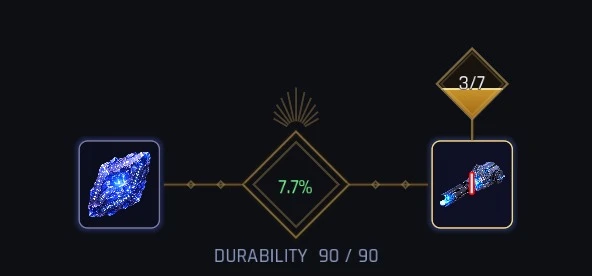
- Items with pity show a gold diamond above their slot on the altar, with your count inside.
- Every failure adds 1 to the count for that level, Cron Stones included. Any success at that level resets it.
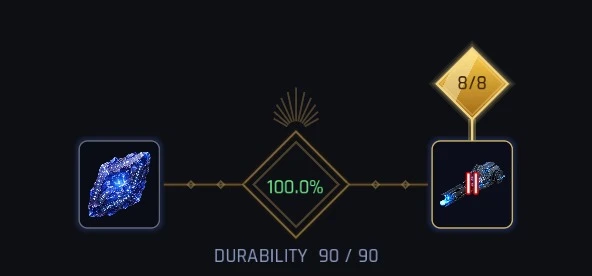
- When the diamond is full it glows, and the next attempt succeeds at 100%. That attempt only uses the base material: no Cron Stones and no failstacks.
Attempts needed, the same for T2, T3 and T4:
| Item | PRI | DUO | TRI | TET | PEN |
|---|---|---|---|---|---|
| Lasers, generators, rocket launchers | - | 7 | 8 | 12 | 35 |
| Drones | 5 | 6 | 8 | 10 | 20 |
Your count belongs to your pilot, not to a single item:
- Each laser has its own count. LF-3 and LF-3M are separate.
- Each drone has its own count, variants included.
- Shield and speed generators of the same tier share one count.
- Each rocket launcher has its own count.
T1 items, life gear and beacons have no pity. The Guide has a new Pity chapter under Enhancement.
Storage transport
Send items from one storage to another storage of your faction, from level 12.
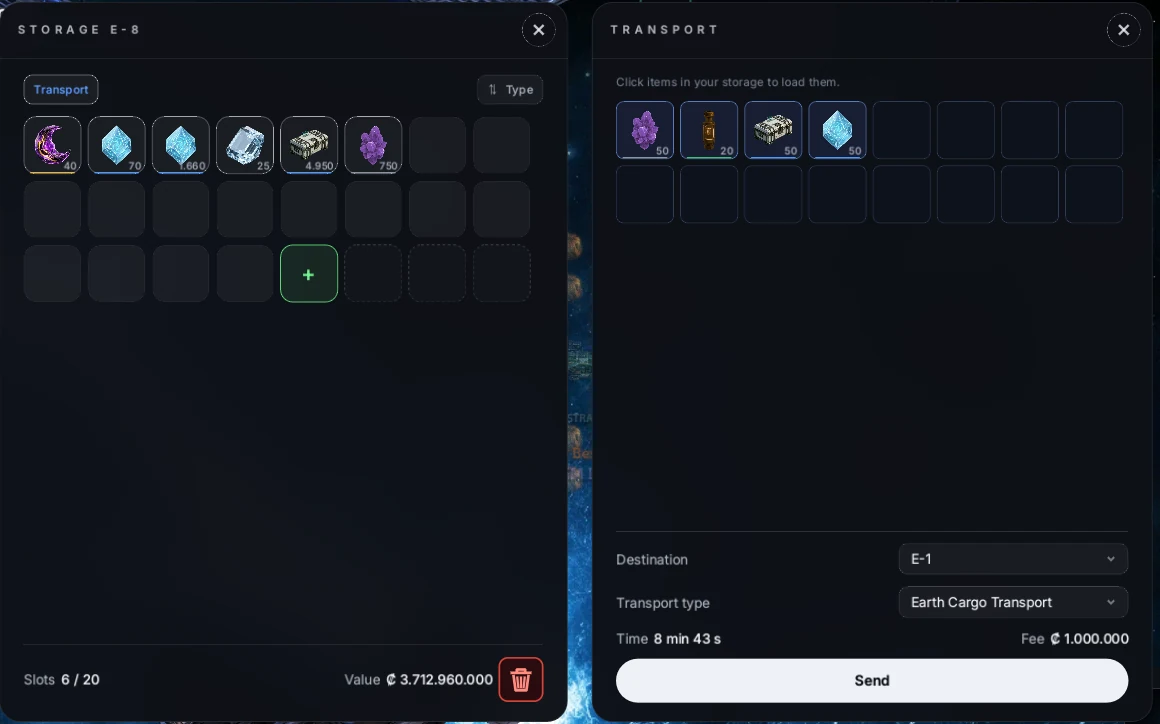
- Open your storage and press Transport, next to the sort button.
- Click items in your storage to load them.
- Choose the destination storage and the transport type, and press Send. It costs 1,000,000 credits.
A cargo ship with a white flag leaves your base and flies through the portals to the destination. Everyone in the maps it crosses can see it with its owner's name: green if it's yours, blue if it belongs to your faction, red if it belongs to another one. It can't be selected or attacked.
When it arrives, the items go into the destination storage. If you are offline, you get them when you log in.
- The destination storage needs enough free slots when you pay.
- You can only have one cargo on its way, and you can't change faction until it arrives.
Soiled drones
Four T4 drones now have a Soiled version. It drops from the same aliens as the drone, and much more often.
 Soiled Xyberonit Wasp |  Soiled Dranok Wasp |
 Soiled Probe Talon |  Soiled Imperion Talon |
- Right-click a Soiled drone in your inventory to open it. You get 1 Shattered piece of that drone or, rarely, the full drone.
- Trade 100 Shattered pieces to Caelnor in X-8 for the full drone.
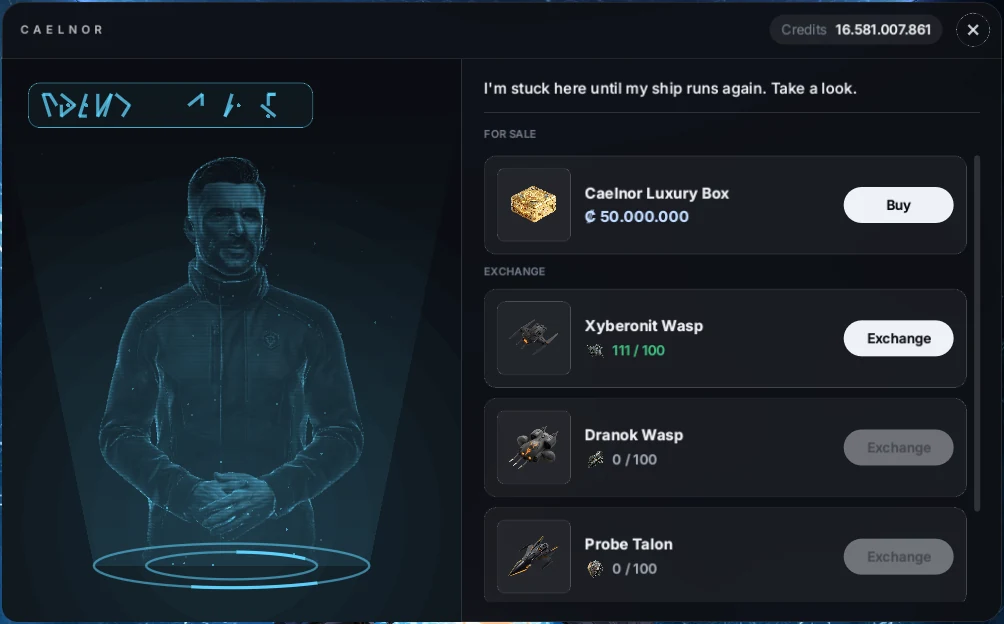
- Soiled and Shattered items can't be sold on the market, and you can lose them when you die, like other inventory items.
News in your base
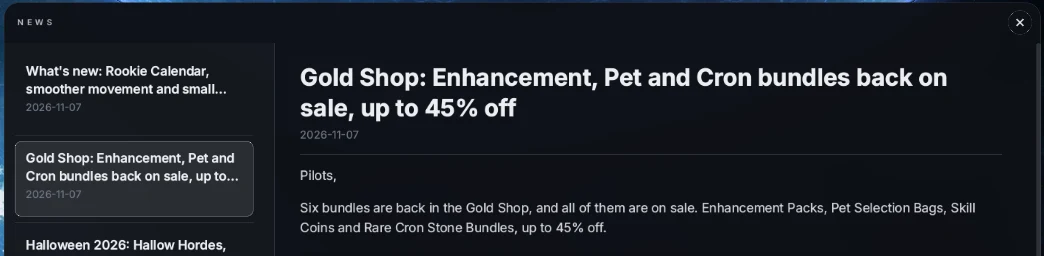
Every base has a new News zone in the centre. It shows the pinned posts from this website, with their images and tables, without leaving the game. A NEW mark appears over the zone when there is a post you haven't read.
Pets
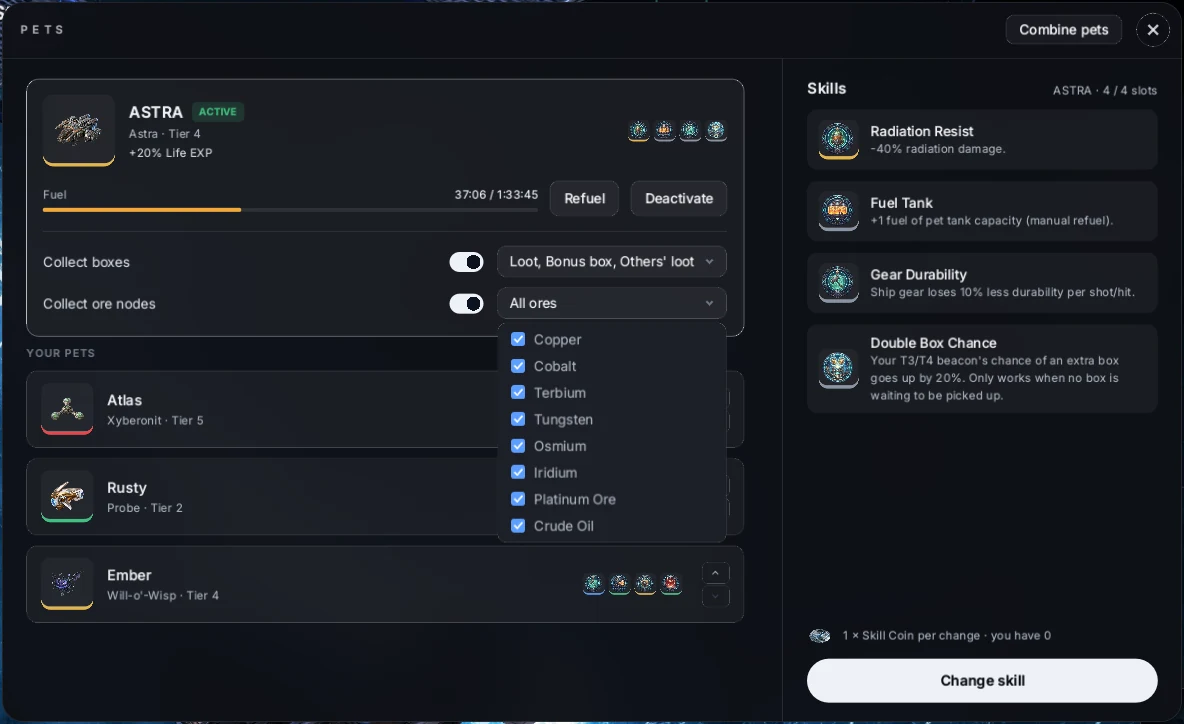
The pet window has two rows, each with a switch and a list of check boxes:
- Collect boxes: choose Loot, Bonus box and Others' loot. The switch turns all of them off and keeps your choice for later.
- Collect ore nodes (tier 3 pets and up): choose which of the 8 ores your pet mines. All of them are on by default.
Marketplace
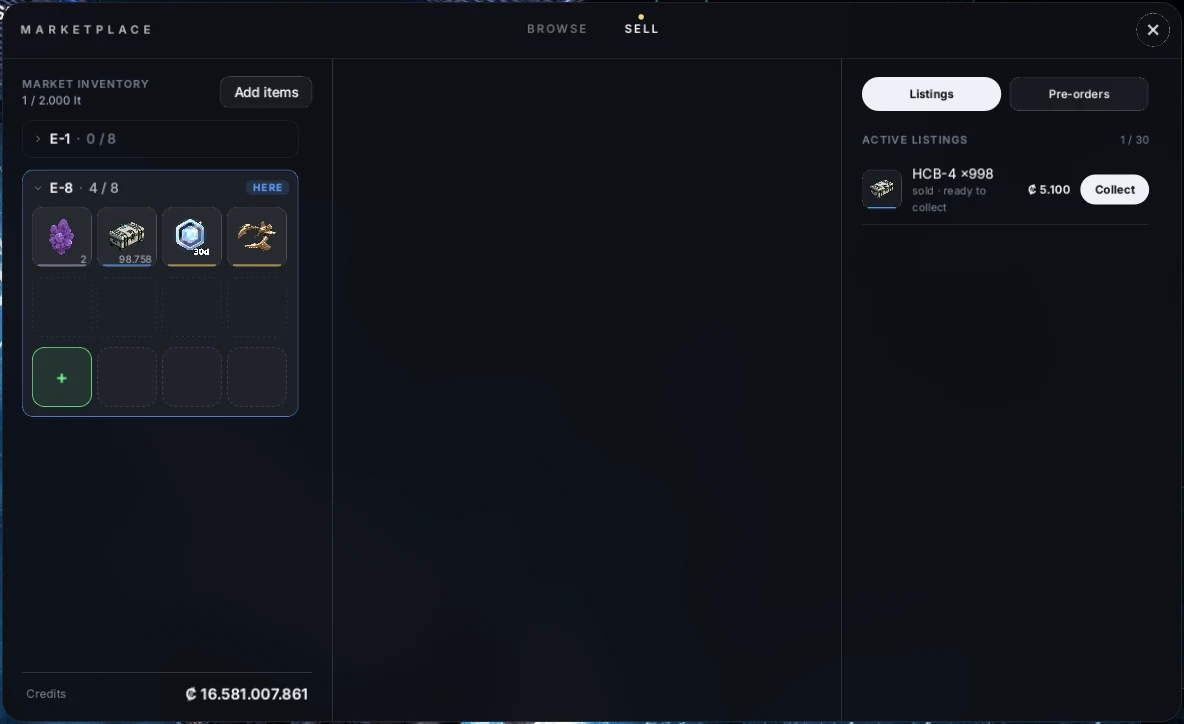
- Sell: your listings and your pre-orders are two separate lists, behind a Listings and a Pre-orders button. The Pre-orders button shows how many are ready to collect.
- Buying always takes the cheapest listing first. The price you pick is the most you will pay, and the Buy button, the total and the confirmation show what you really pay.
- While you have an item listed, you can't buy that item or place a pre-order for it. Cancel your listing first.
Bases and portals
- Base zones are grouped by what they do: trading at the top, Blacksmith and Factory on the right, Merchant and Storage on the left, Hangar at the bottom.
- New look for zone names and buttons.
- Portals are 25% bigger, with a new Jump button and a ring that shows the level you need when you can't jump yet.
- On mobile, Open and Jump are now icon buttons, the same in every zone.
Aliens and world bosses
- X-4 elites drop more Arcane Stones: every elite has the same 4.5% chance, around 20 per hour on a fast farm.
- X-4 elite remnants sell for more: Elite Xyberon 2,000, Elite Devol 1,750, Elite Kordon 1,500 and Elite Simon 1,250 credits.
- Devorath: his pull is smooth now, with no more jumps that felt like lag. His whole pull zone is visible, so you can see how far it reaches.
- Losing your connection inside a world boss arena no longer sends you out. You stay where you were and keep your damage.
- Probes and world boss names are smaller.
Blacksmith
- Life gear recovers max durability by tier: T2 +5, T3 +2 and T4 +1 per Antimatter, five times that with Artisan Antimatter.
- Recover max durability only lists life gear in your inventory, and no longer lists beacons that are already at full max durability.
- The red frame in Enhancement only shows when an item's max durability is too low to enhance it.
Fixes
- Other players' ships no longer look smaller than they are.
- Talon T3 drones no longer fly backwards.
- Google sign-in on Android now opens your phone's account picker.
- On PC, the Caelnor and News windows open centred, and the Shop, Pets and Recover max durability windows no longer shift around.
- The box roulette plays a different prize sound depending on how rare the prize is.
See you in orbit.